QPython SL4A API Documentation
version 4.0.0.9
★ How To Use QSL4A ? ★
>>> from androidhelper import Android
>>> droid = Android()
>>> droid.dialogGetInput("Title", "Multi Line\nMessage", "Text")
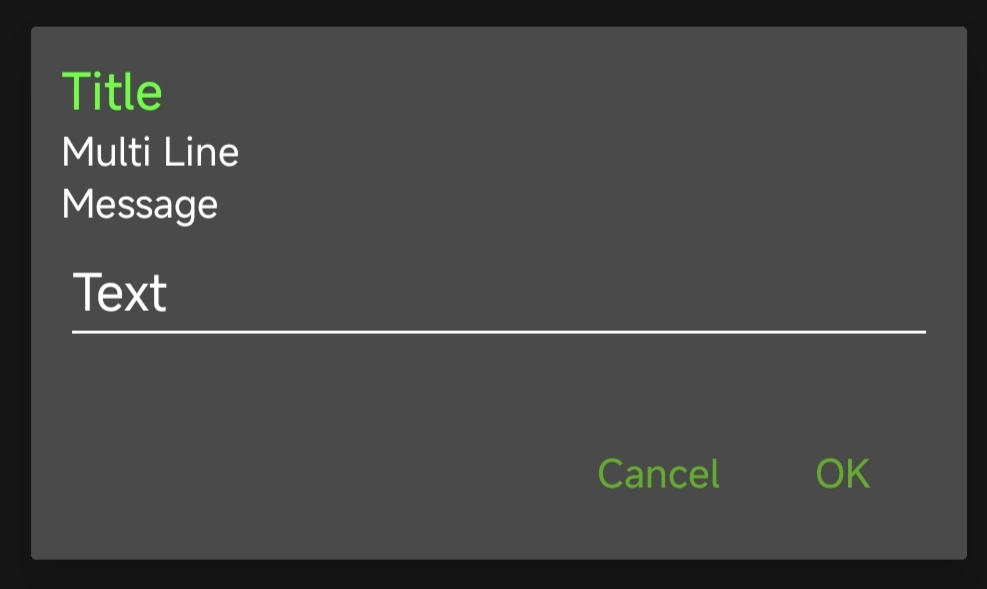 # If user input "Hello World"
Result(id=1, result='Hello World', error=None)
# If user input "Hello World"
Result(id=1, result='Hello World', error=None)
Communication
Other Communication <Top>
Accessibility <Top>
★ How To Use Shizuku ? ★
>>> import shizuku
>>> dir(shizuku)
['Thread', '_TF', '__builtins__', '__cached__',
'__doc__', '__file__', '__loader__', '__name__',
'__package__', '__spec__', '_abs', '_ad', '_ap',
'_checkShizuku', '_cmd', '_inva', '_listdir2',
'_open', '_real', '_run', '_runTF', '_useNormal2',
'basename', 'binRead', 'binWrite', 'checkShizuku',
'copy', 'copytree', 'dirname', 'exists',
'getmtime', 'getsize', 'isEnable', 'isdir', 'isfile',
'listdir', 'listdir2', 'mkdir', 'move', 'os', 'remove',
'rename', 'rmdir', 'rmdirs', 'rmtree', 'shutil',
'txtRead', 'txtWrite', 'useNormal', 'useShizuku']
Notice :
This shizuku module is used for Shizuku App 13.6.0,
if your Shizuku App is not this version,
it will raise InvocationTargetException and UnsatisfiedLinkError,
replace "/data/user/0/org.qpython.plus/files/bin/rish_shizuku.dex"
to the Shizuku App's version to solve the problem .